Linux host
A mini PC, old desktop, NAS, Raspberry Pi, or dedicated server.
Homelab dashboard
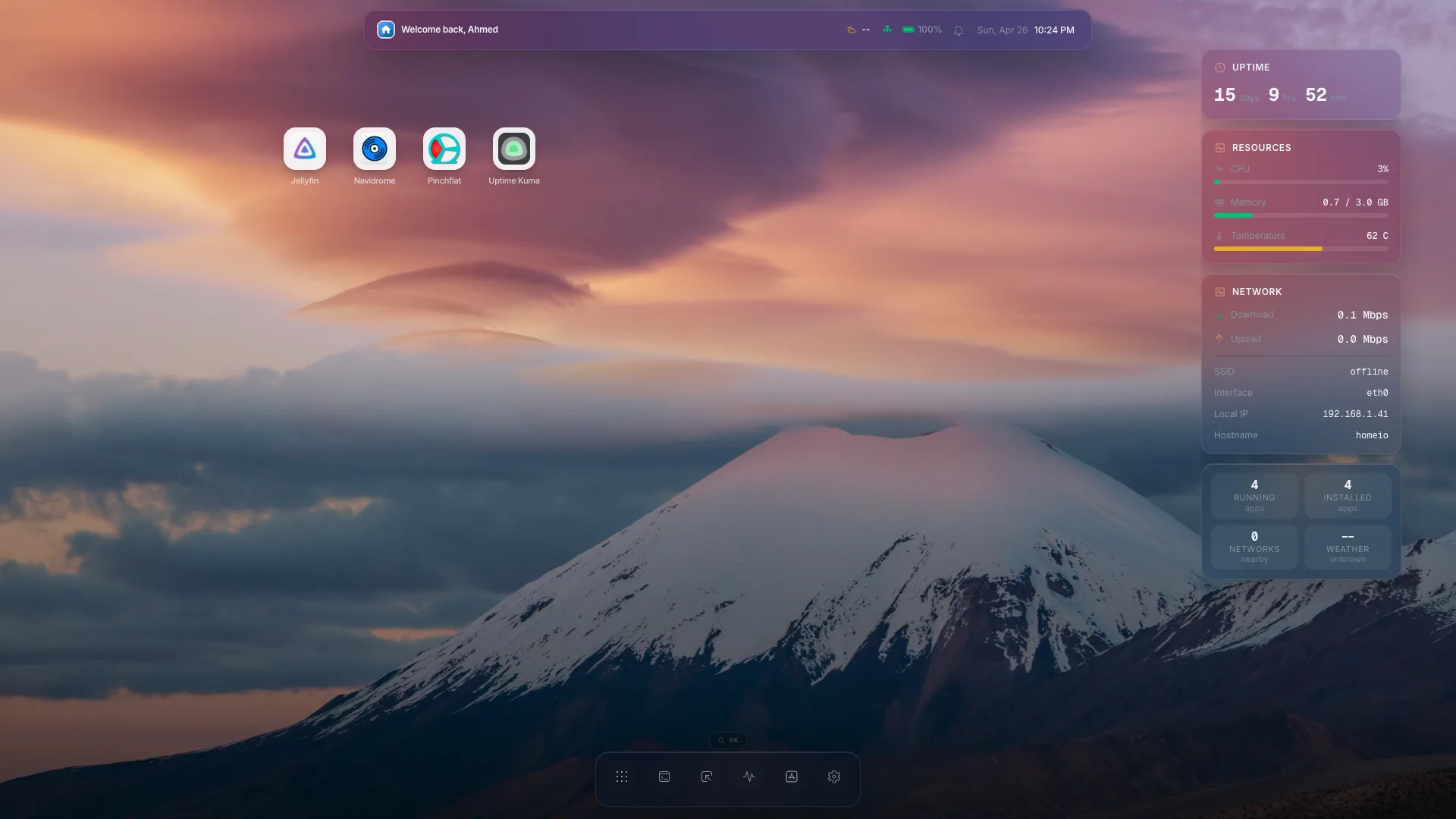
Homeio brings Docker apps, files, terminal access, and live system metrics into one browser interface for people running a self-hosted lab at home.
Beginner stack
A mini PC, old desktop, NAS, Raspberry Pi, or dedicated server.
Run services such as Jellyfin, Immich, Pi-hole, Home Assistant, and Nextcloud.
Keep media, backups, app data, and shared folders visible.
Watch CPU, memory, disk, and network activity while services run.
Keep command-line control nearby for maintenance and troubleshooting.
A homelab dashboard should do more than link to services. It should help you install, inspect, and maintain the machine that runs those services.
Self-hosting involves small repeated jobs: install an app, check a config, watch load, open logs, and confirm storage. Homeio keeps those workflows connected.
Beginners get a calmer starting point, while experienced homelab operators keep access to Docker-native workflows and the terminal when they need more control.
Where Homeio fits
Homeio gives a homelab the operating surface missing from a pile of separate app UIs. You still own the hardware and services, but common maintenance happens from one place: app management, storage, terminal commands, and monitoring.
FAQ
A useful homelab dashboard should include app status, access to common services, file management, terminal access, and system monitoring so you can operate the server, not just open links.
No. Homeio includes a Docker app manager, file manager, terminal, app store, settings, and monitoring, so it functions as a management dashboard rather than a static launch page.
Homeio can be a friendlier daily surface for many home lab tasks. Portainer is still useful for deep container administration, while Homeio focuses on the broader home server workflow.