Homeio
Homeio
TrueNASTrueNASvsHomeioHomeio

Alternative to TrueNAS

TrueNAS alternative when you want apps, not a full NAS OS.

TrueNAS SCALE is powerful for dedicated NAS hardware with ZFS pools, snapshots, and replication — but it takes over your entire machine and is significant overhead if your goal is just running a few self-hosted apps. Homeio installs on top of any existing Linux box in minutes, adds zero storage requirements, and doesn't touch your OS.

  • Installs on your existing Debian or Ubuntu system — no OS replacement, no ZFS setup, no dedicated hardware.
  • Docker Compose-native: 158+ pre-configured apps install in one click, plus any image from Docker Hub.
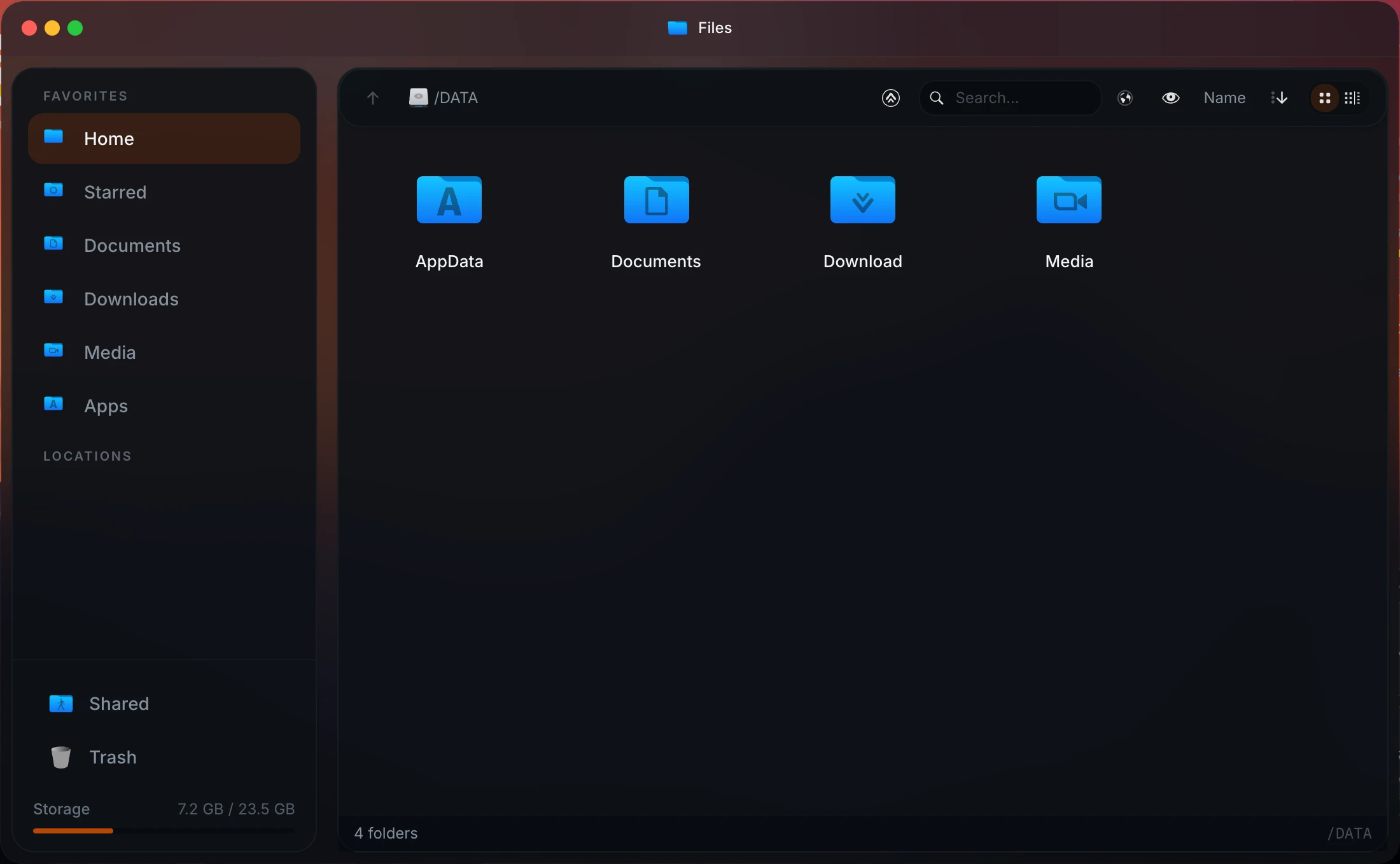
  • Integrated file manager with USB drive support, Samba/SMB sharing, and Google Drive integration.
  • Disk and partition manager for formatting, mounting, and managing block devices from the UI.
  • Built-in cron scheduler for image pulls, container restarts, shell commands, and backups.
  • Real-time system metrics: CPU, memory, disk, network, and per-container Docker stats.
  • Fully free and open source — no Enterprise licensing tier, no paid feature gates.
homeio.app
Homeio file manager and dashboard as a lighter alternative to TrueNAS

Why Homeio works

Choose Homeio if you want a stronger daily operating surface.

NeedWhy Homeio fits
No OS takeover

Homeio is a Docker Compose stack on your existing Linux system. Your OS, existing files, and other services stay exactly as they are. TrueNAS replaces the OS.

No ZFS requirement

Homeio works with whatever storage you already have. Ext4, NTFS, a single SATA drive — no ZFS pool to configure, no ECC RAM recommendation to stress about.

Docker-native app management

Every app is a standard Docker Compose stack. Browse and install 158+ services without writing YAML, or bring your own compose file.

File management and storage

The integrated file manager handles upload, download, multi-select, media preview, and code editing alongside your app workflows.

Network file sharing

Create Samba shares from the dashboard without editing smb.conf. TrueNAS also does Samba, but it requires the full OS install to get there.

Automated maintenance

Schedule image pulls, container restarts, shell scripts, and backups with real-time pass/fail notifications.

Live system visibility

Real-time CPU, memory, disk, and network metrics alongside per-container Docker stats — updates live without refresh.

No licensing costs

Homeio is fully free. No Enterprise tier, no feature gates. TrueNAS Enterprise is for commercial support contracts — irrelevant for personal use.

FAQ

Questions people ask before switching.

Is Homeio an alternative to TrueNAS?

They serve different primary use cases, and it's worth being honest about that. TrueNAS SCALE is a full NAS operating system built around ZFS — if you have a dedicated machine with multiple drives and you want enterprise-grade storage with snapshots and replication, TrueNAS is the right tool. But if your goal is running self-hosted apps like Jellyfin, Immich, or Nextcloud on a general-purpose Linux box, TrueNAS is massive overhead. Homeio installs on your existing system in minutes and adds zero storage requirements.

Do I need special hardware for Homeio?

No. Homeio runs on any Linux machine: old desktops, N100 mini PCs, Raspberry Pi 4 or 5, NAS devices running Debian or Ubuntu, or cloud VMs. No dedicated NAS hardware, no ZFS, no ECC RAM requirement.

Does Homeio replace my operating system like TrueNAS does?

No. TrueNAS SCALE is a full OS you install fresh — it takes over the machine. Homeio installs on top of your existing Debian or Ubuntu system with one script or docker compose up -d. Your current OS, files, and other services stay completely untouched.

Can Homeio manage my files and storage?

Yes. The integrated file manager handles upload, download, unzip, multi-select, media preview, and Monaco code editor. USB drives are auto-detected and browsable. You can share folders over Samba/SMB from the UI and connect Google Drive alongside local storage. The disk and partition manager handles formatting and mounting block devices. It's not ZFS with snapshots and replication — but for most home server use cases, you don't need that.

Does Homeio have a Docker app store?

Yes. 158+ pre-configured Docker Compose apps: Jellyfin, Nextcloud, Immich, Pi-hole, Home Assistant, Vaultwarden, and many more — installable in one click. TrueNAS SCALE has its own app catalog too, but it's tied to their Kubernetes-based app runtime, which is heavyweight and has been through several breaking changes across TrueNAS versions.

Who should use Homeio instead of TrueNAS?

If your machine's primary purpose is running self-hosted apps — Jellyfin, Immich, Home Assistant, Nextcloud — and storage is just local drives you browse via Samba, Homeio is a much better fit. TrueNAS makes sense when storage management is the core job: ZFS pools, scheduled snapshots, replication to a second machine. Most home server users don't actually need any of that.

Does Homeio have system monitoring?

Yes. Real-time CPU, memory, disk, and network metrics for the host, plus per-container Docker stats. Notifications alert you to container crashes, disk space warnings, and task failures.

Can Homeio schedule automated tasks?

Yes. The cron runner schedules docker compose pull, container restarts, shell commands, and backups on any cron schedule. Each task sends a pass/fail notification in real time.

Does Homeio have a terminal?

Yes. A web terminal with a configurable command allowlist — docker, ls, df, ping, cat, and more. Quick maintenance without an SSH client.

Is Homeio free and open source?

Yes. Fully free, no Enterprise licensing tier, no per-node costs, no paid feature gates. TrueNAS has TrueNAS Enterprise for commercial support contracts — Homeio has no equivalent, because it doesn't need one for personal use.

Next step

Install Homeio and run your own home cloud with more control.

Keep your apps, files, terminal, and system health in one interface, then follow the comparison pages deeper if you still need to evaluate the options.