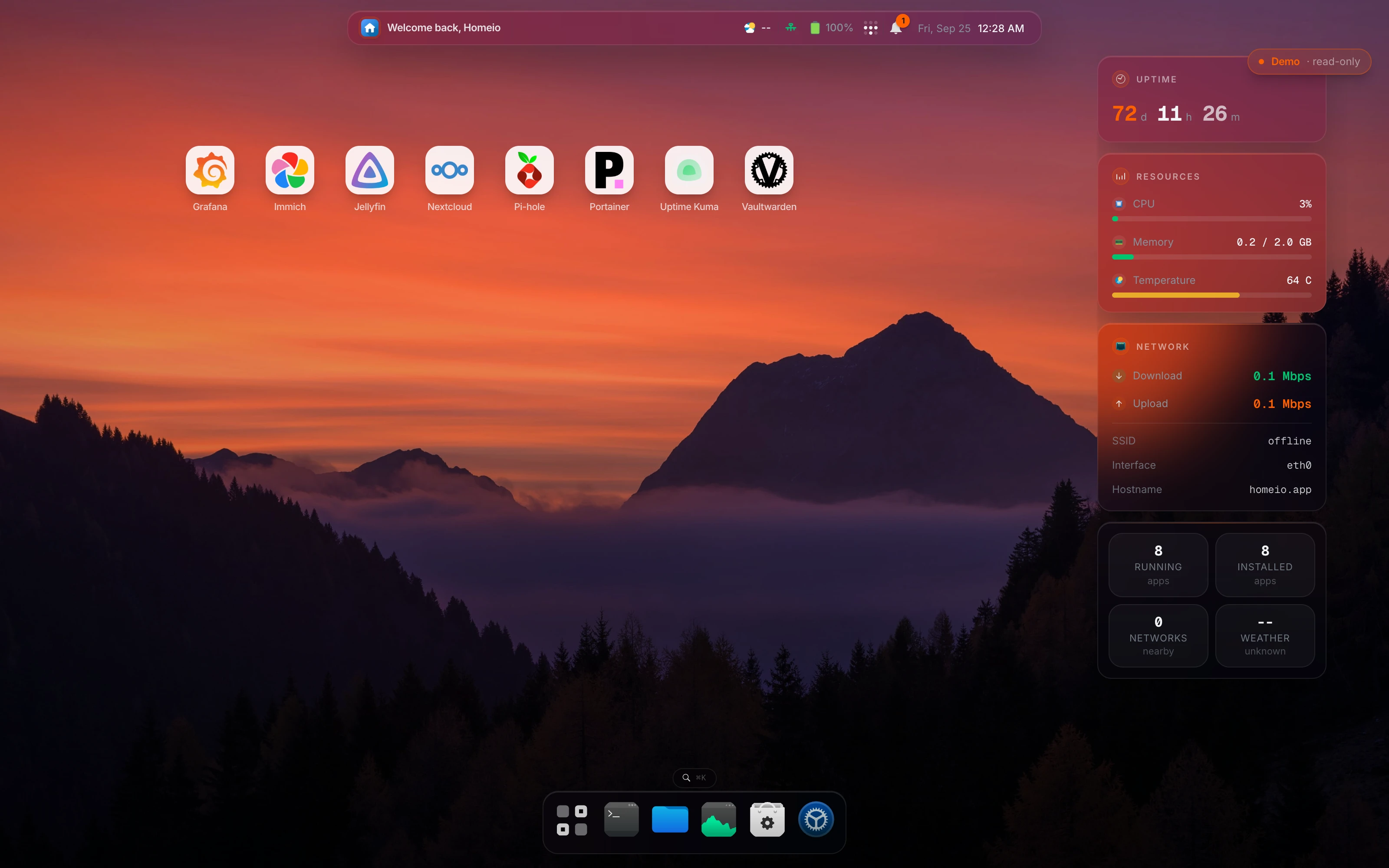
Windows, a dock, and ⌘K, in any browser. Install Docker apps, move files, read logs, and watch the machine without opening SSH.
One command on Debian, Ubuntu, or Pi OS.New to this? Start hereSource on GitHub
Local disks, USB drives, SMB shares from your network and Google Drive all open in one file manager. Share any folder back out over Samba, and format and mount a new disk from the browser.
Install from 166+ Compose stacks, then start, stop, update or redeploy each one. Edit the compose file in place and watch logs stream in with a keyword filter.
CPU, memory, disk, network and per-container stats stream over Server-Sent Events. Nothing on the screen needs a refresh button.
Tailscale and Cloudflare Tunnel are built into Settings, so you can reach the box away from home. Two-factor login and backup and restore sit right next to them.
One command on a Debian, Ubuntu, or Raspberry Pi OS machine. Updating later is one command too.
curl -fsSL https://get.homeio.app | sudo bashFor Debian, Ubuntu, or Raspberry Pi OS. The script installs Docker if it is missing, sets Homeio up as a service, and puts it behind Nginx on port 80.
curl -fsSL https://get.homeio.app | sudo bashWorks anywhere Docker runs. PostgreSQL ships in the same compose file, so there is nothing else to set up.
git clone https://github.com/doctor-io/homeio.git
cd homeio && docker compose up -dThe first account you create is the admin account. Registration closes as soon as it exists.
# Install script:
http://your-server-ip

# Docker Compose:
http://your-server-ip:12026