Linux host
A mini PC, old desktop, NAS, Raspberry Pi, or dedicated server.
Start with a Linux box, add Docker apps, keep files and monitoring close, and use Homeio as the dashboard that makes your first self-hosted lab feel understandable.
A mini PC, old desktop, NAS, Raspberry Pi, or dedicated server.
Run services such as Jellyfin, Immich, Pi-hole, Home Assistant, and Nextcloud.
Keep media, backups, app data, and shared folders visible.
Watch CPU, memory, disk, and network activity while services run.
Keep command-line control nearby for maintenance and troubleshooting.
A mini PC or used desktop is usually the best first home lab server. It gives you enough CPU and memory for Docker services without the noise and power draw of enterprise rack hardware.
A beginner lab does not need a rack, enterprise switch, or expensive storage. It needs one reliable machine, a network connection, a place for data, and a simple way to run services safely.
The best first services are practical. Media, photos, DNS, home automation, and file sync give you a reason to keep the lab running and a reason to learn backups, updates, and monitoring.
Most beginners get stuck after the first install because the lab spreads across terminals, config files, app dashboards, and logs. A single dashboard reduces that friction.
Port forwarding a home server to the internet is how most first labs get scanned and poked within hours. A mesh VPN such as Tailscale gives your phone and laptop a private route home, and a tunnel such as Cloudflare Tunnel publishes a single app on a public hostname without exposing the rest.
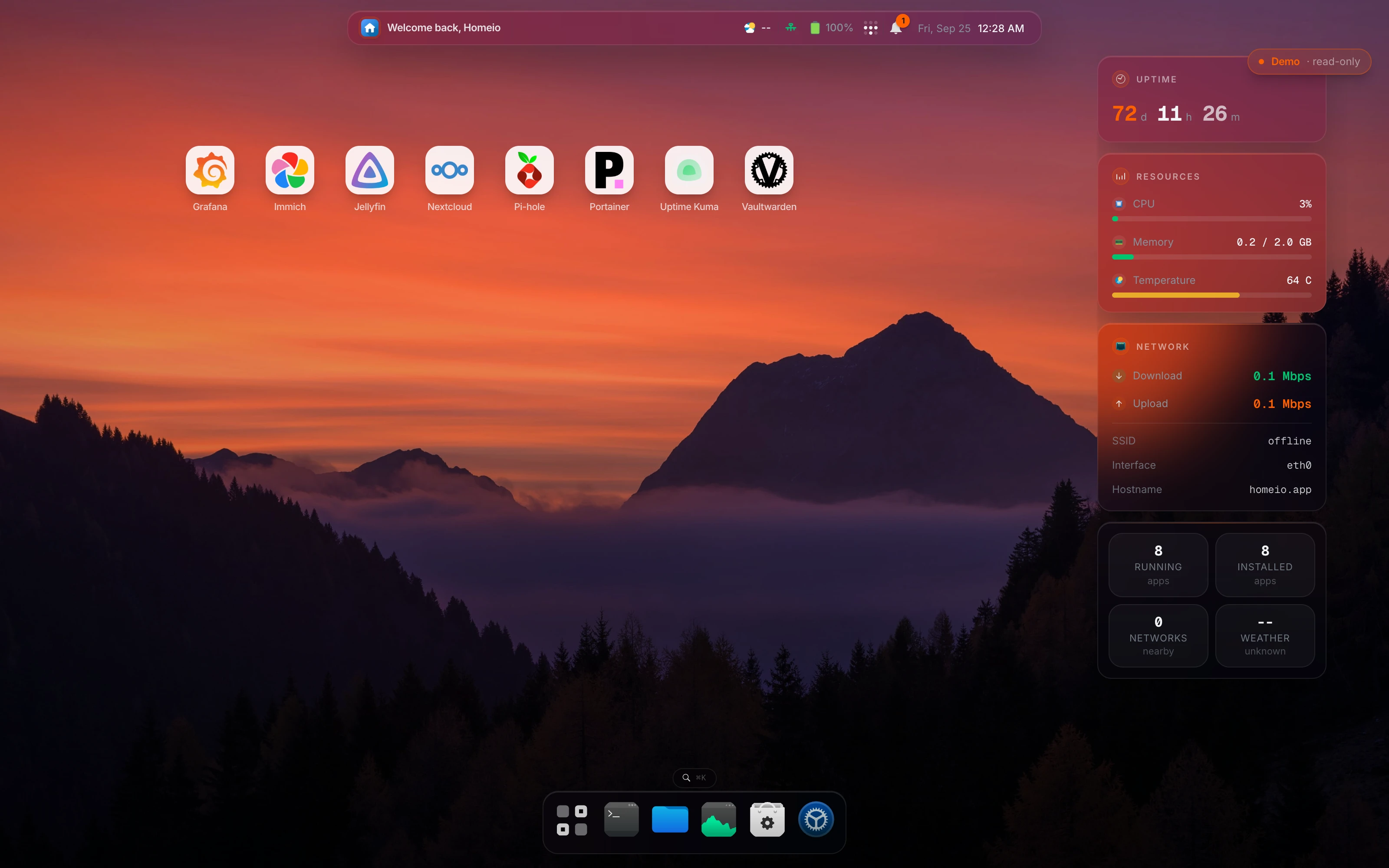
Homeio is not a replacement for learning Linux or Docker. It is the layer that keeps common tasks visible: install Docker Compose apps, browse files, open a terminal, watch CPU and memory, and manage the server from the browser. That makes the first home server lab easier to operate while you learn the deeper pieces.
A home server lab is a small self-hosted environment at home where you run services, storage, networking tools, and experiments on hardware you control. It can start with an old PC, a mini PC, a NAS, or a Raspberry Pi.
Start with Docker, a dashboard such as Homeio, and a few practical services such as Jellyfin, Immich, Pi-hole, Home Assistant, or Nextcloud. This gives you useful apps while teaching the basic operating workflow.
A used business desktop or mini PC is usually the best beginner home lab server because it is quiet, efficient, affordable, and powerful enough for Docker apps.
Yes, a Raspberry Pi can run lightweight services, but a mini PC or used desktop gives more room for media apps, photo libraries, and multiple Docker containers.
No. Proxmox is useful when you want virtual machines, snapshots, and stronger isolation, but a beginner home server lab can start with Linux and Docker Compose. Homeio fits that simpler Docker-first path.
Homeio gives the lab one browser-based control surface for Docker apps, file management, terminal access, settings, and live system monitoring, so beginners do not have to jump between disconnected tools immediately.